The Cheapest Way to Add CarPlay to an Old Car
You do not need a new dash or a shop visit. Here is how to get CarPlay on an old car for the least money possible.

Key takeaways
- A wired USB dongle for a car that already has a screen can run as little as $50 to $70.
- No screen at all? A single-DIN or double-DIN head unit with wired CarPlay starts around $120 installed if you do the labor.
- Portable CarPlay screens that suction to the dash are the fastest cheap fix but the least tidy.
- Skip wireless and fancy brands on a first build; wired hardware gives you the same core features for far less.
Picture a 2009 Honda Civic with a tape-deck-era stereo and a phone rattling around in a cupholder. You want maps on a screen, your podcasts through the speakers, and voice texting without fishing for the phone at a red light. What you do not want is a $900 quote from a shop.
Good news: that gap between what you have and what you want is usually $50 to $200, not four figures. I have wired up CarPlay in cars older than some of my tools, and the cheapest path depends almost entirely on one question.
Does your car already have a screen you can hijack, or are you starting from a blank dashboard?
Start With What Your Dash Already Has
Before you buy anything, figure out which of three buckets you fall into. This single check decides whether you spend $50 or $250.
The first bucket is a car with a factory touchscreen but no CarPlay, common on models from roughly 2012 to 2018. The second is a car with an old radio and no screen at all. The third is a car with a factory screen that is not a touchscreen and cannot take input, which is the trickiest and often the priciest.
Good to know
If your factory screen supports Android Auto or CarPlay from the factory but only over a cable, you may not need to buy anything. A $10 quality USB cable can be the entire fix. Check your owner’s manual before spending a dime.
The Cheapest Real Fix: A Wired Dongle
If your car has a working touchscreen that runs Android Auto or an older wired CarPlay setup, a small adapter box can add wireless CarPlay for around $50 to $90. These plug into your existing USB port and trick the head unit into thinking your phone is connected by cable.
That is the genuinely cheap route, because you reuse the screen, speakers, and wiring you already paid for years ago. No cutting, no trim panels off, no soldering.
The catch is that these dongles only work if your car already speaks CarPlay or Android Auto in some form. They cannot add the feature to a screen that never had it. A Toyota with factory Entune that supports Android Auto is a perfect candidate. A base-model car with a plain radio is not.
Watch out
Bargain dongles under $30 exist, but I have seen them drop connection on bumpy roads and lag half a second behind your taps. Spend the extra $20 for one with real reviews. A cheap box that frustrates you daily is not a deal.
No Screen at All? Swap the Whole Stereo
This is where most old cars land, and it is not as scary or expensive as people fear. A double-DIN head unit with a built-in touchscreen and wired CarPlay starts around $120 to $180 for the unit itself.
Add a wiring harness adapter ($15 to $30) and a dash kit ($10 to $40) so it fits your specific car, and you are looking at roughly $150 to $250 in parts. Do the install yourself and labor is free.
The install is more approachable than it sounds. Most of the job is popping trim with a plastic pry tool, unplugging the old radio, and clicking two harnesses together. If you can follow a YouTube video for your exact car, you can do this in an afternoon.
Pro tip
Buy the wiring harness that plugs into your car’s factory connector rather than cutting and splicing wires. It costs $20 and turns a soldering project into a click-together job. Undoing a bad splice on a cold garage floor is a mistake you make exactly once.
The Fastest Cheap Option: A Portable Screen
If you cannot face pulling your dash apart, a portable CarPlay screen is the shortcut. These are standalone displays, usually 7 to 10 inches, that suction to the glass or clamp to a vent and run off a cigarette-lighter cord.
They range from about $60 to $150. Audio either plays through the unit’s own speaker, a Bluetooth link to your car stereo, or an FM transmitter, which sounds exactly as rough as it did in 2005.
They are the least tidy solution. A cord dangles, the screen can wobble, and glare is real. But for a work truck or a car you plan to sell soon, spending $80 instead of gutting the dash makes sense.
What Each Path Actually Costs
Here is how the three routes stack up if you supply your own labor. Prices are rough US street prices for decent, not premium, gear.
| Option | Parts cost | Effort | Best for |
|---|---|---|---|
| Wired dongle | $50 to $90 | 5 minutes | Cars that already have CarPlay or Android Auto |
| Portable screen | $60 to $150 | 15 minutes | Fast fix, temporary cars, work vehicles |
| New head unit | $150 to $250 | 1 to 3 hours | Old cars with no screen, cleanest result |
Notice the head unit costs more up front but gives you a permanent, factory-looking result. The dongle is cheapest only if your car qualifies. Match the path to your car, not to the lowest number on the page.
Where People Waste Money
The biggest budget killer is paying for wireless when wired does the same job. Wireless CarPlay is convenient, but wired hardware is often half the price and every core feature (maps, music, messages, calls) works identically.
Another trap is buying a big-brand head unit for the badge. A well-reviewed unit at $130 runs the same CarPlay experience as a $400 one. You are paying for a nicer knob feel and marketing, not better navigation.
Shop labor is the third money pit for a budget build. A dongle needs no install, and a head unit swap on most cars is a genuine DIY job. If you are handy enough to change a headlight bulb, you can likely do this and keep $100 to $200 in your pocket.
The cheapest way to add CarPlay is almost never the cheapest box. It is picking the route that matches your car so you buy the hardware once.
A Quick Checklist Before You Buy
Run through this before adding anything to a cart. Five minutes here saves a return trip and a restocking fee.
- Confirm whether your factory screen already supports CarPlay or Android Auto over USB.
- Measure your dash opening: single-DIN (2 inches tall) or double-DIN (4 inches tall).
- Look up the exact wiring harness and dash kit part numbers for your year and model.
- Decide if wired CarPlay is fine, since it saves real money over wireless.
- Read recent reviews for the specific unit, not just the brand.
If you want to understand the feature side before spending, Apple keeps a plain overview on the official CarPlay page, and the same core apps show up whether your hardware cost $50 or $500.
Your Next Move
Go sit in your car and answer the one question that matters: is there a touchscreen or not? That answer sorts you into the dongle path or the head unit path in about thirty seconds.
If you have a screen that supports Android Auto, order a well-reviewed wired dongle and you could have CarPlay this week for under $70. If you have an old radio, search your exact car plus “double DIN install” and watch one video before you buy the harness and dash kit.
Either way, start with the cheapest route your car actually supports, buy wired the first time, and skip the shop labor. That is how a $900 quote turns into a weekend and a hundred bucks.
Frequently asked questions
Yes, if you do the install yourself. A double-DIN head unit with a touchscreen and wired CarPlay can be found around $120 to $150, plus a $20 wiring harness and dash kit. Doing your own labor is what keeps it under $150.
Usually by a lot. Wired dongles and wired head units skip the extra chipset that wireless needs, so they often cost half as much. Every main feature like maps, music, and messaging works the same either way.
They work, but they are the least polished option. Expect a dangling power cord, some screen wobble, and audio through Bluetooth or an FM transmitter that is not as clean as a hardwired stereo. They are best for temporary or work vehicles.
It can be a gamble. The very cheapest boxes often lag when you tap and drop their connection on rough roads. Spending $50 to $90 on a unit with real reviews usually saves you the headache and a return.
Not for most older cars. With a plastic pry tool, the right wiring harness, and a dash kit, it is a click-together job you can finish in an afternoon. A model-specific video makes it very doable if you can change a headlight bulb.
Keep reading
Related guides
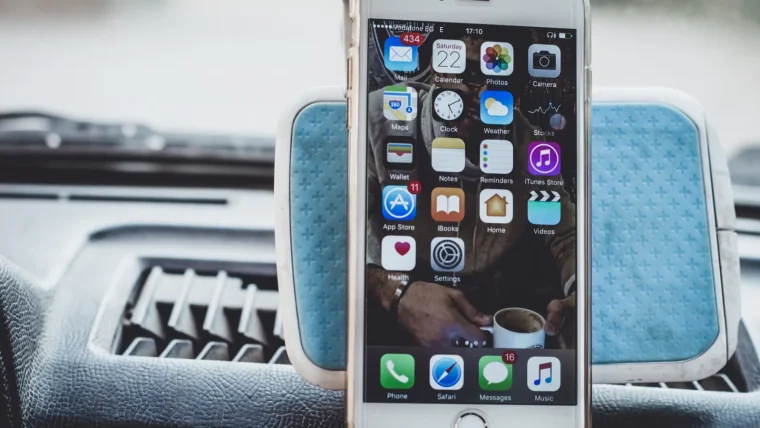
CarPlay vs a Phone Mount: Which Is Smarter?
A $20 phone mount or a full CarPlay setup? Here is how to pick the one that actually fits your car, your budget, and your daily drive.
Read guide
CarPlay for Road Trips: How to Get the Most From It
Turn a long drive into an easy one with smarter maps, offline backups, playlists and a charging setup that actually keeps up.
Read guide
CarPlay Accessories Actually Worth Buying
The add-ons that genuinely make CarPlay better on the road, and the ones that just clutter your cupholder.
Read guide