Choosing the Best USB Cable for CarPlay
The cable is the quiet reason your wired CarPlay drops, stutters or refuses to connect at all. Here is what to buy.

Key takeaways
- A cheap charge-only cable is the number one cause of wired CarPlay dropping out.
- Look for a data-rated cable that is MFi certified (Lightning) or USB-IF certified (USB-C).
- Shorter is better: 3 to 6 feet holds up far better than a 10-foot cable.
- Match the cable ends to your car port and phone, and buy one good cable instead of three bad ones.
You plug your phone in, CarPlay pops up, and thirty seconds into the drive the screen goes black. Or it never connects at all. Or the audio crackles every time you hit a bump. You reboot the phone, you reset the head unit, you swear at the car. And the whole time the culprit is sitting in your hand.
It is the cable. Nine times out of ten, when someone brings me a car with flaky wired CarPlay, the fix costs about twenty bucks and takes ten seconds. Swap the junk cable for a real one.
Here is the thing nobody tells you at the checkout counter: most USB cables sold at gas stations and phone kiosks are built to charge, not to carry data. CarPlay needs both. That mismatch is why your setup keeps flaking out, and it is exactly why picking the right cable matters more than any setting you will ever change.
Why the cable makes or breaks wired CarPlay
Wired CarPlay sends a real data stream between your phone and the car, not just power. Your maps, your music, your voice commands, the touch input coming back from the screen: all of it runs through those little copper wires inside the cable.
A charge-only cable has fewer wires inside. It moves electricity fine, so your phone battery climbs, but there is no clean path for data. The car sees power and nothing else, so CarPlay either never launches or drops the second the connection wobbles.
Cheap data cables are barely better. Thin wires, no shielding, sloppy connectors. They might work on your driveway and then fail the moment the cable flexes around a bend or gets warm in the sun. I have watched a $6 cable pass every test in the garage and die on the highway.
Watch out
If your phone charges but CarPlay will not appear, do not assume the port or the car is broken. Try a known-good cable first. This one swap solves more CarPlay complaints than any other single fix I have seen.
What actually makes a good CarPlay cable
You are looking for three things: real data support, honest certification, and a length that does not sabotage the signal. Get those right and the brand name barely matters.
Data support, not just charging
The cable must be rated to carry data. On a product listing this shows up as USB 2.0 data transfer or higher, or a mention of sync and data. If a listing only brags about wattage and fast charging and never says the word data, walk away.
Certification you can trust
For an iPhone with a Lightning port, look for MFi certified. That is Apple’s Made for iPhone program, and a certified cable has a chip inside that the phone trusts. Uncertified Lightning cables often throw an accessory not supported warning or quit after an iOS update. You can read Apple’s own take on wired connections on the Apple CarPlay support page.
For USB-C phones, whether that is a newer iPhone or an Android, look for USB-IF certification or at least a reputable brand that lists proper USB 2.0 data specs. Android Auto is just as picky about cable quality, and Google says as much in its Android Auto help center.
The right length
Shorter cables hold a cleaner signal. A 3-foot or 6-foot cable is the sweet spot for most cars. Once you stretch past 10 feet the data can degrade, especially on a budget cable, and drops become more common.
Pro tip
Measure the run from your USB port to where your phone actually sits before you buy. In most cars a 3-foot cable reaches a center console cradle just fine, and the shorter run means fewer connection headaches.
Match the ends to your car and phone
This trips people up more than it should. A cable has two ends, and both have to match your hardware.
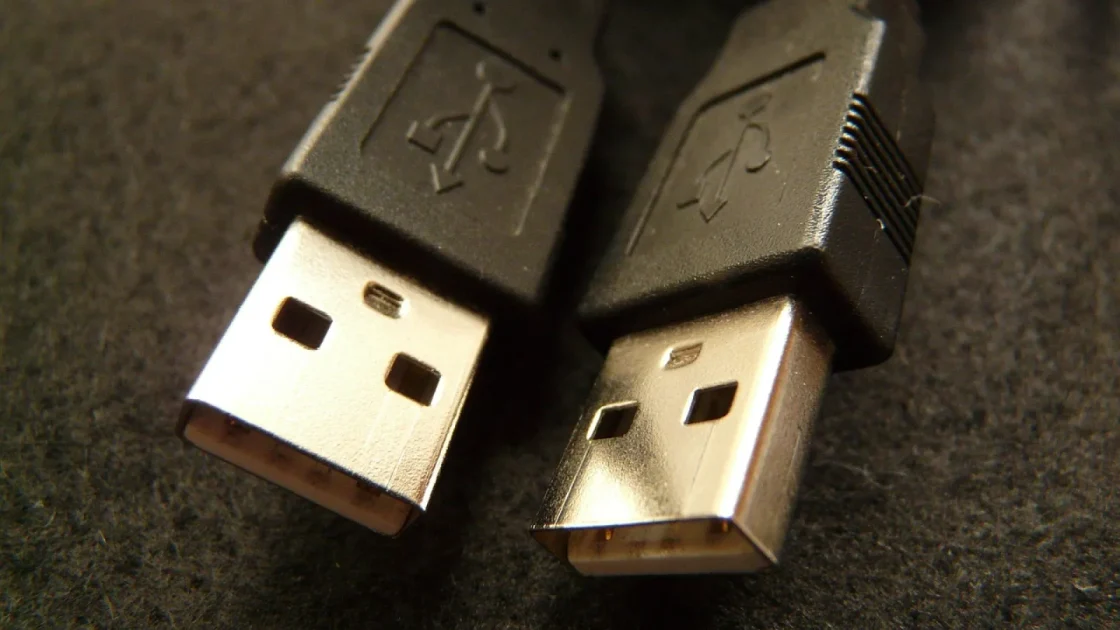
Look at your car’s USB port first. Older cars and many current ones use a rectangular USB-A port. Newer vehicles increasingly use the oval USB-C port. Then look at your phone: an iPhone 14 or older uses Lightning, an iPhone 15 and up uses USB-C, and nearly every recent Android uses USB-C.
| Your phone | Common car port | Cable to buy |
|---|---|---|
| iPhone 14 or older | USB-A | USB-A to Lightning, MFi certified |
| iPhone 14 or older | USB-C | USB-C to Lightning, MFi certified |
| iPhone 15 or newer | USB-A | USB-A to USB-C, data rated |
| iPhone 15 or newer | USB-C | USB-C to USB-C, data rated |
| Android phone | USB-A or USB-C | Matching USB-C data cable |
One common mistake: grabbing a USB-C to USB-C cable when the car only has a USB-A port. It will not fit, and no adapter I trust makes that combo reliable for CarPlay. Buy the cable that plugs straight in on both ends.
Good to know
The port matters for wired CarPlay. Many cars have one USB port marked with a little phone or CarPlay icon for data, and others that are charge-only. If CarPlay will not start, make sure you are plugged into the data port.
What to skip and what to spend
You do not need a $50 braided showpiece, and you should not trust a $4 mystery cable either. The good range sits between about $12 and $30 for a certified, data-rated cable from a brand that has been around.
Spend a little more and you get thicker conductors, real strain relief where the cable meets the connector, and shielding that fights off interference from the car’s electronics. That strain relief matters. The number one place a cable fails is right at the plug, where it bends every single time you unplug your phone.
- Listing clearly says data or sync, not just charging
- MFi certified for Lightning, or USB-IF certified for USB-C
- Length of 3 to 6 feet for a typical car
- Correct connectors for both your car port and your phone
- Solid strain relief and a brand with real reviews
- Priced roughly $12 to $30, not suspiciously cheap
How to test a cable before you trust it
Got a new cable? Do not just plug in and hope. Give it a quick shakedown so you know it works before you are late for work and staring at a dead screen.
Plug the phone into the data port, confirm CarPlay launches, then start playing audio and open your maps app. Now gently wiggle the cable at the phone end and at the car end. If the screen flickers or the audio cuts, that cable has a bad connector and it will only get worse. A good cable holds steady through the wiggle.
A cable that fails the wiggle test in your driveway will absolutely fail on a pothole at 60 miles per hour. Better to find out while parked.
If a formerly reliable cable starts dropping out, it is usually worn at the connector or frayed inside. Cables are consumables. I replace mine about once a year in a daily-driver car, and I keep the retired one in the glovebox as a backup that still charges in a pinch.
Wired versus wireless, and where the cable still counts
Plenty of newer cars offer wireless CarPlay, and it is genuinely nice to hop in and go without plugging anything in. So do you still need a good cable? Yes, for two reasons.
First, wireless can hiccup: a firmware glitch, a crowded Wi-Fi channel, a phone that will not reconnect. A quality cable in the glovebox is your instant fallback. Second, wired usually charges your phone faster and keeps a rock-solid connection on long drives when wireless can heat the phone up and throttle it.
Quick note
If your car only supports wired CarPlay, the cable is not optional, it is the entire connection. That is even more reason to buy one good one and stop fighting with the cheap stuff.
Your next move
Take two minutes and check what you are actually using right now. Look at the cable in your car: is it the one that came with your phone, or a random gas-station special? Is it MFi or USB-IF certified? Does it say data anywhere on the packaging you probably threw out?
If you cannot answer those questions with confidence, order one good cable today. Match the ends to your car port and phone using the table above, keep it in the 3-to-6-foot range, and spend the $15 to $30 on something certified. Run the wiggle test the day it arrives.
One solid cable will outlast and outperform the drawer full of cheap ones you have been cycling through. Buy it once, plug in, and let CarPlay just work.
Frequently asked questions
Usually yes. The cable in the box with an iPhone or Android phone is data-rated and certified, so it works fine for CarPlay. The catch is that it is often short and gets worn out fast from daily use, so many people buy a longer replacement for the car.
That is the classic sign of a charge-only cable or a bad data cable. Charging uses different wires than data, so power can flow while CarPlay gets no signal. Swap in a known-good data cable and plug into the port marked for data or CarPlay to fix it.
Up to a point. Moving from a $5 cable to a certified $20 one makes a real difference in reliability. Going past $30 mostly buys you nicer braiding and looks, not better data, so there is no need to overspend.
Stick to 3 to 6 feet for the most dependable connection. You can go up to about 10 feet with a high-quality cable, but longer runs on cheaper cables tend to cause dropouts. Measure the distance from your port to your phone spot and buy the shortest length that reaches comfortably.
It is smart to keep one. Wireless can occasionally drop or fail to reconnect, and a quality cable is your instant backup. Wired connections also charge faster and stay steady on long trips, so a good cable earns its spot in the glovebox.
Keep reading
Related guides
CarPlay and Mobile Data: What Uses Your Allowance
A plain look at where your phone plan actually gets spent while CarPlay is running, and what costs you nothing.
Read guide
How to Reset a CarPlay Connection Cleanly
When CarPlay gets stuck, glitchy, or refuses to load, a clean forget-and-repair usually fixes it in about five minutes.
Read guide
How to Set Your Default Navigation App in CarPlay
Apple never added a single default map switch, so here is the real way to make Google Maps or Waze your go-to on CarPlay.
Read guide