How to Update Your Phone for Better CarPlay
A plain-spoken walkthrough for keeping iOS and Android current so your dashboard connection stays quick and reliable.
Read guide
Getting connected the first time, then getting it dialed in. This hub covers pairing over USB and Bluetooth, choosing the right cable, arranging your apps and the handful of settings that make CarPlay and Android Auto genuinely pleasant to use every day.
20 guides in this hubA plain-spoken walkthrough for keeping iOS and Android current so your dashboard connection stays quick and reliable.
Read guideThe seven small toggles that quietly fix the daily annoyances most drivers just learn to live with.
Read guideMove, hide, and reorder your CarPlay apps so the ones you actually use sit front and center every drive.
Read guideYour iPhone connector changed, but does that actually affect how CarPlay behaves in the car? Here is the honest answer.
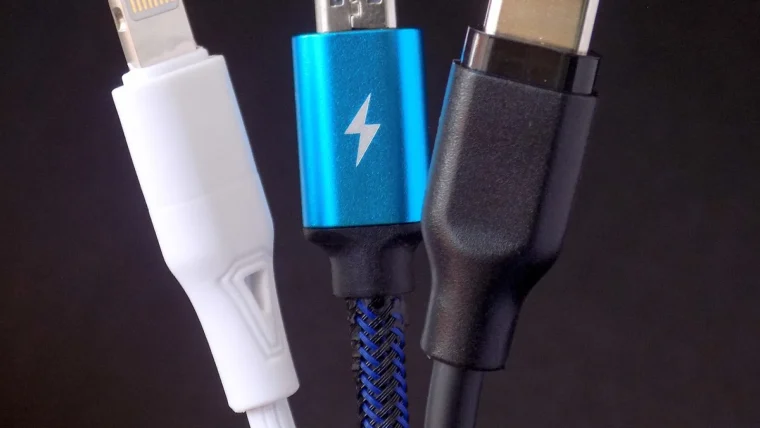
Read guideThe cable is the quiet reason your wired CarPlay drops, stutters or refuses to connect at all. Here is what to buy.
Read guideGet your phone talking to your car's screen the first time, with the small gotchas that trip most people up.
Read guideGet hands-free Siri talking to your car the right way, and sort out the times she goes quiet or mishears you.
Read guidePair your iPhone to your car over Bluetooth and Wi-Fi in a few minutes, with the fixes for the moments it stalls.
Read guideA plain, hands-on walkthrough for connecting your iPhone to CarPlay with a cable the very first time, with the small snags nobody warns you about.
Read guideEverything a first-timer needs to get their iPhone talking to the car screen, from plugging in to fixing the setup that refuses to connect.
Read guide