Portable Screen vs Aftermarket Head Unit
Two ways to add CarPlay to an older car, and how to tell which one actually fits your dash, your budget and your patience.

Key takeaways
- A portable screen costs $60 to $180 and takes 15 minutes; a head unit runs $150 to $600 plus install.
- Head units give you real speaker sound and a clean dash; portable screens keep your factory radio untouched.
- If your car has a weird integrated dash or you lease it, a portable screen is almost always the smarter call.
- Sound is the biggest trade-off with portable screens, and it is fixable with the right connection.
You just bought a 2013 sedan with a tape deck’s worth of features and no CarPlay in sight. You want maps on a screen and hands-free texts, and you have a weekend and a modest budget. So which way do you go: a little screen that suctions to the dash, or a proper radio swap?
I have installed both, on my own cars and for friends who handed me a screwdriver and a beer. They solve the same problem from opposite directions. One respects your factory setup and takes almost no work. The other rebuilds your dash and rewards you with better sound.
Here is how I actually decide between them, minus the sales pitch.
The two routes, in plain terms
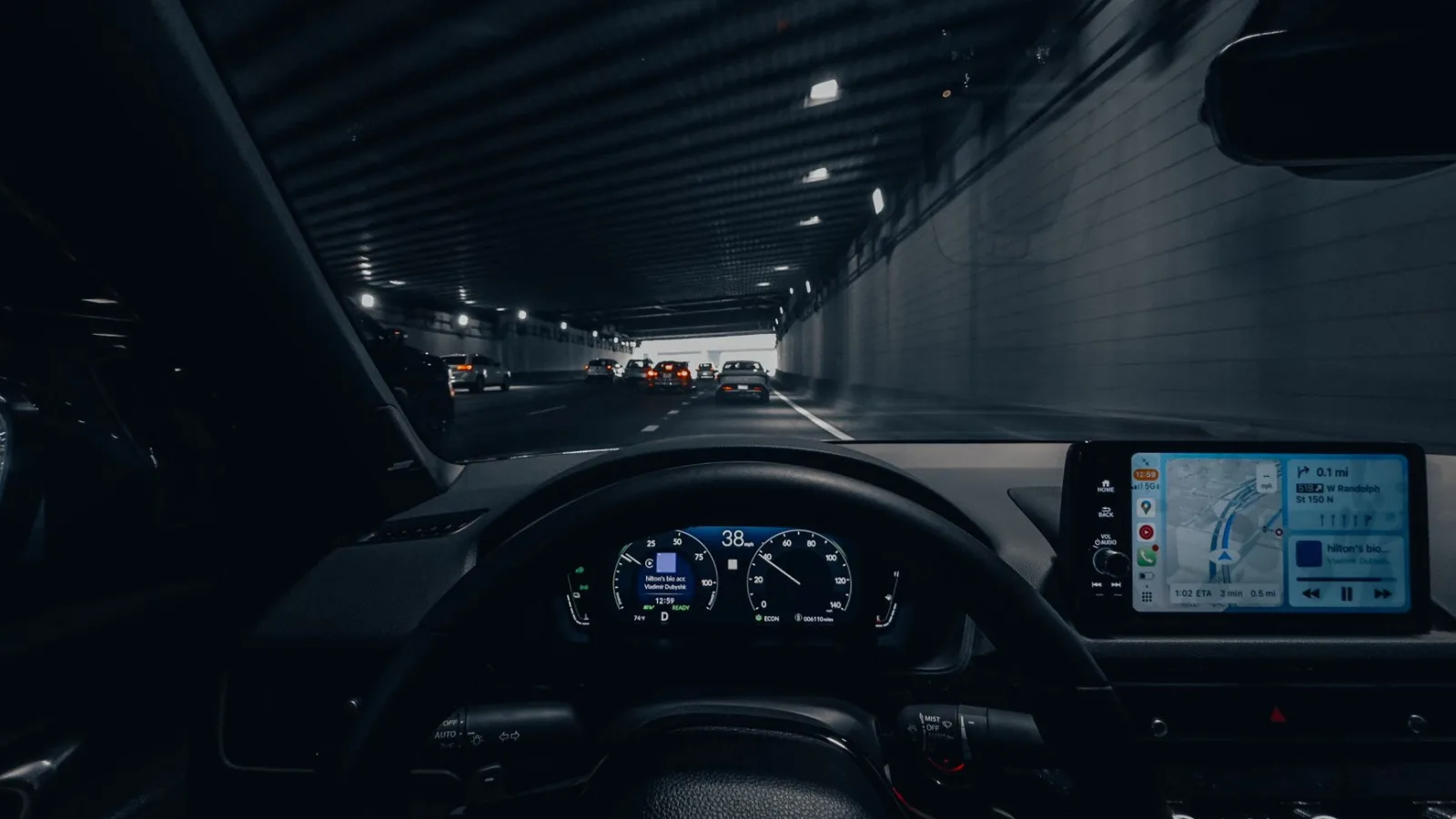
An aftermarket head unit replaces the radio that came in your car. You pull the old one out, wire in the new one, and now CarPlay lives in the dash like the factory built it that way. Think of brands like Pioneer, Kenwood or Sony.
A portable CarPlay screen is a separate display, usually 7 to 10 inches, that mounts on the dash or windshield and runs off a 12V power source. Your factory radio stays put. The screen handles the maps and calls, and you route the audio over to your existing speakers one way or another.
That last part is the whole story, honestly. One route touches your car’s guts. The other sits on top of it and leaves everything alone.
Good to know
Both give you the same CarPlay experience on screen. The differences are all about install effort, sound, cost and how permanent you want it. If you want the official rundown of what CarPlay does, Apple keeps a plain CarPlay overview that skips the marketing fluff.
What each one really costs
Money is usually where people land on a decision, so let me be specific.
A decent portable screen runs $60 to $180. You are done there. No install fee unless you pay someone, and most people do this themselves in an afternoon.
A head unit is $150 to $600 for the unit alone. Then you often need a wiring harness adapter ($15 to $40) and a dash kit ($20 to $60) so it fits your specific car. If you pay a shop to install it, add $100 to $250 for labor. A clean head unit job can easily hit $400 to $700 all in.
| Factor | Portable screen | Aftermarket head unit |
|---|---|---|
| Typical cost | $60 to $180 | $300 to $700 installed |
| Install time | 15 to 30 minutes | 1 to 3 hours |
| Skill needed | None | Basic wiring, some patience |
| Sound quality | Depends on connection | Excellent, wired to speakers |
| Reversible | Yes, fully | No, factory radio is out |
| Dash look | Add-on device | Factory-clean |
Install effort is not close
A portable screen install is about as hard as setting up a phone mount. Suction or adhesive mount, plug into a 12V outlet or hardwire it to a fuse tap, pair your phone, done. Fifteen minutes if you are slow.
A head unit is real work. You are prying off dash trim, unplugging harnesses, matching wires by color, and hoping the dash kit lines up. First-timers usually spend two hours and one moment of quiet panic when the radio won’t power on because a ground wire slipped.
I am not saying a head unit is hard for a shade-tree mechanic. It is very doable. But it is a different weight class of project.
Watch out
On a lot of newer cars, the radio is fused into climate controls, backup cameras and door chimes. Yank it out and you can lose your AC display or your reverse camera. If your dash is one big integrated panel, a head unit swap may not even be possible without an expensive integration module. That alone pushes many people to a portable screen.
Sound: the honest trade-off
This is where head units win clean, and where portable screens make people nervous.
A head unit wires straight into your speakers. You get full, loud, clear audio the way car audio is supposed to sound, plus real EQ control and enough power to drive better speakers later.
A portable screen has no direct line to your speakers by default. You get sound to your car three ways, and they are not equal.
- Bluetooth to the factory radio: easiest, but audio quality dips and there can be a slight lag on video
- FM transmitter: works on any car with a radio, but sound is thin and picks up static in cities
- AUX cable to the radio: best quality of the three, only works if your radio has an AUX-in jack
If your factory radio takes an AUX cable, a portable screen can sound genuinely good. If you are stuck on FM transmitter, you will notice. That is the single biggest complaint I hear, and it is worth checking your radio’s inputs before you buy anything.
Pro tip
Before you order a portable screen, look at your factory radio and find whether it has an AUX input or Bluetooth. That one detail decides how good your music will sound and can change your whole choice. A radio with Bluetooth already? A portable screen suddenly makes a lot of sense.
Which one survives your specific car
Some cars practically choose for you.
If you drive an older car with a standard single or double DIN radio slot, a head unit is a clean, classic swap. Parts are cheap and plentiful, and the result looks factory. This is the sweet spot for a head unit.
If you drive a leased car, a company car, or anything you plan to sell soon, a portable screen keeps the original radio safe in the dash. Pull the screen, return the car, no trace. Ripping out a factory radio can also ding resale on some models, since buyers like original interiors.
And if your dash is one of those curved, integrated, touchscreen-adjacent designs from the last decade, a portable screen is often the only route that does not require pro-level integration gear.
A quick gut check
Ask yourself two things. Do I care more about sound quality or keeping this reversible? And is my radio slot a simple rectangle or a fused-in control center?
Sound plus a simple slot points to a head unit. Reversible plus a complicated dash points to a portable screen. Most people know their answer within a minute of asking it honestly.
The best add-on is the one that matches your car and your patience, not the one with the longest spec sheet.
Where portable screens quietly pull ahead
A few perks rarely make the comparison charts.
Portable screens often bundle extras a head unit skips. Built-in dashcams are common, and some record front and rear at once. You also get wireless CarPlay and Android Auto on cheap units, while budget head units sometimes still want a cable. Google keeps a straightforward Android Auto page if you run an Android phone and want to confirm your model works.
You can also move a portable screen from car to car. Buy a new vehicle, unclip it, take it with you. A head unit stays with the car you installed it in.
Quick note
Portable screens sit closer to your eyes on the dash, so glare and night brightness matter more. A cheap glossy panel can wash out at noon. Spend a little for a screen rated above 400 nits and you will thank yourself on a bright drive.
So which should you buy
Go with a portable screen if you want CarPlay this weekend, you lease or plan to sell, your dash is complicated, or wiring makes you sweat. It is the low-risk, low-cost, fully reversible route, and modern units look better than the $40 junk from a few years back.
Go with a head unit if you own the car, you have a normal radio slot, and sound quality is the thing you care about most. The extra money and effort buy you factory-clean looks and audio a portable screen can only match on its best day.
My honest starting move for most people with an older car: check your factory radio for an AUX or Bluetooth input, then price out one portable screen and one head unit for your exact vehicle. Whichever total makes you nod is the right one. If you are still torn, buy the portable screen first, live with it for a month, and only step up to a head unit if the sound bugs you. That path costs you the least and teaches you the most about what you actually want.
Frequently asked questions
It can get close, but only if your factory radio has an AUX input or clean Bluetooth to run the audio through. Over an FM transmitter, no, you will hear the difference. A head unit wired directly to your speakers still wins on raw sound quality and power.
On older cars with a simple radio slot, no, it is a clean swap. On newer cars where the radio controls climate, the backup camera or door chimes, pulling it can disable those features. Check whether your radio is a standalone unit or part of an integrated panel before you commit.
A portable screen, almost every time. It leaves the factory radio untouched, so you can remove the screen and hand the car back with no modifications. Swapping the head unit on a leased car risks fees and undoing the work later.
A portable screen needs no professional at all; it is a 15-minute plug-and-mount job. A head unit is doable yourself with basic wiring skills, but many people pay a shop $100 to $250 to avoid trim damage and wiring mistakes. Your comfort with dash disassembly is the deciding factor.
Only with a portable screen. It unclips and travels with you to any car that has a 12V power source. A head unit is bolted and wired into one specific dash, so it stays with the car when you sell it.
Keep reading
Related guides

Mounting a Portable CarPlay Screen the Right Way
How to place and secure a portable CarPlay display so it holds firm on bumps, stays out of your sightline, and keeps you legal.
Read guide
Portable CarPlay Screens With a Built-in Dashcam
How combo screens that run CarPlay and record the road actually work, what to look for, and where they fall short.
Read guide
Keeping a Portable CarPlay Screen Secure From Theft
A bright screen stuck to your dash is a magnet for smash-and-grab thieves. Here is how to keep yours out of reach.
Read guide