Phone Overheats With CarPlay: Why and How to Stop It
Your phone gets hot and drains fast on long CarPlay drives. Here is what causes it and the fixes that actually keep it cool.

Key takeaways
- Heat usually comes from three things stacking up: fast charging, GPS and screen load, and a hot cabin.
- A cheap vent mount and a low-power charger fix more overheating cases than any software setting.
- Wireless CarPlay runs hotter than wired because the phone works two radios at once.
- If the phone hits its thermal limit it will slow charging or drop CarPlay to protect the battery.
You are 40 minutes into a summer drive, Maps is guiding you through an unfamiliar city, and your phone is sitting in the cupholder cooking itself. You pick it up at the next red light and it is almost too hot to hold. The battery has somehow dropped instead of charging, and CarPlay just blinked off for a second.
Sound familiar? This is one of the most common complaints I hear from people running CarPlay every day, and it is almost never a broken phone.
It is heat physics plus a few habits that make things worse. Once you understand where the heat is coming from, the fixes are quick and cheap. Let me walk you through what is actually happening under that warm glass.
What is actually heating your phone up
People assume CarPlay itself is the problem. It is really three separate heat sources landing on the same little slab of aluminum and glass at the same time.
The first is charging. When your phone is plugged in and pulling 15 to 20 watts, the charging circuit gives off real heat. Fast charging is the worst offender here. It shoves energy in quickly, and a chunk of that energy becomes warmth right next to the battery.
The second is the workload. CarPlay keeps the GPS radio pinging constantly, the screen streaming to your dash, and for wireless setups both Wi-Fi and Bluetooth running nonstop. Navigation apps like Google Maps and Waze are the hungriest because they redraw the map, recalculate routes, and download live traffic every few seconds.
The third is the cabin itself. A phone left in direct sun on the dash can hit 120 F on its own before it does any work at all. Add charging and navigation on top of that baseline and you are asking a small computer to run flat out inside an oven.
Good to know
Lithium batteries hate heat more than almost anything. Running a phone hot on a regular basis is one of the fastest ways to shrink how long it holds a charge a year from now. Keeping it cool is not just about today’s drive.
Why the battery drains while it is plugged in
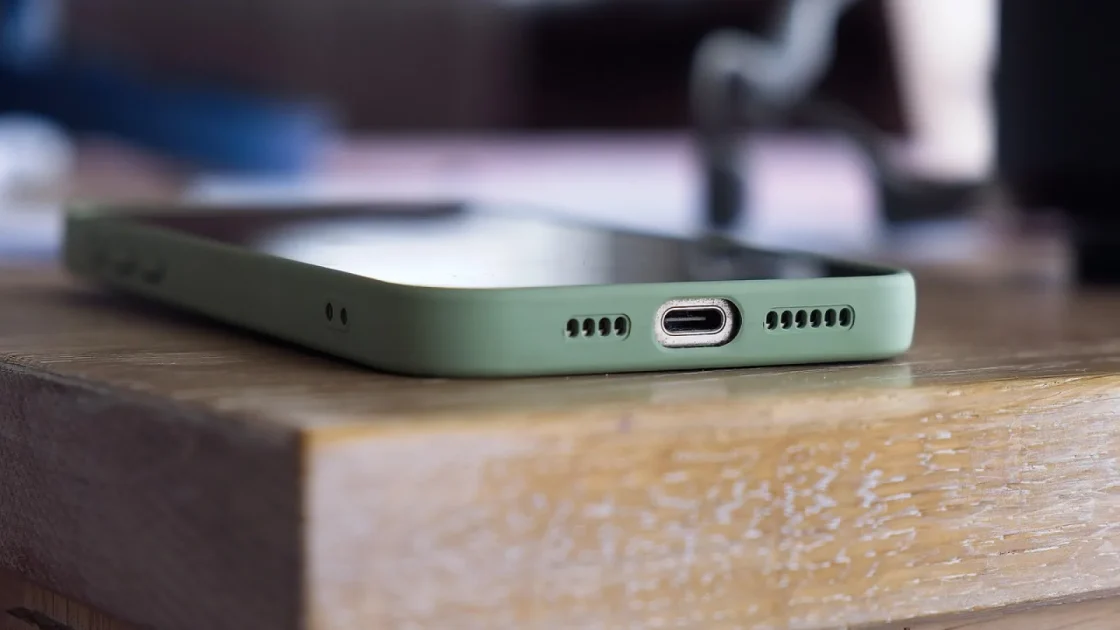
This is the part that confuses everyone. The cable is in, the charging icon is showing, and the percentage is still dropping. It feels broken. It is not.
Your phone has a built-in safety limit. When the battery gets too warm, iOS and Android both throttle or pause charging on purpose to protect the cells. So the charger might only be trickling in a few watts while CarPlay is burning through more than that.
The math is simple. If navigation, the screen, and both radios are drawing 8 watts, but heat has capped your charging at 4 watts, you lose ground. The battery slowly empties even though everything looks connected.
Wireless CarPlay makes this worse in a sneaky way. A wireless setup often is not charging the phone at all unless you also have it on a wireless charging pad, and those pads run hot too. So the phone is doing more work with either no charge coming in or a hot, inefficient charge coming in.
Wired versus wireless: the heat difference is real
I get asked constantly whether wireless CarPlay is worth it. For convenience, sure. For heat, wired wins every time, and it is not close.
With a wired connection the phone uses one cable for both data and power. No Wi-Fi radio hammering away, no separate charging pad. With wireless the phone runs its Wi-Fi and Bluetooth radios the entire drive, which is a steady heat source you cannot turn off without killing the connection.
| Factor | Wired CarPlay | Wireless CarPlay |
|---|---|---|
| Radios running | Bluetooth only for phone audio | Wi-Fi plus Bluetooth all drive |
| Charging | Steady, direct through cable | None, or a hot wireless pad |
| Typical phone temperature | Warm | Hot on long drives |
| Best for | Long trips, summer heat | Short city hops, cool weather |
If your phone only overheats on wireless, that is your answer right there. Switch to a cable for long summer drives and keep wireless for the quick errands.
The fixes that actually work
Here is the order I would try things, cheapest and easiest first. Most people solve this at step two or three without touching a single setting.
Move the phone out of the sun
This is the single biggest fix and it costs nothing. A phone baking on the dash in direct sunlight starts every trip already too hot. Move it to a vent mount or somewhere shaded and you knock 20 to 30 degrees off the starting temperature.
Pro tip
A cheap air-vent mount, the clip-on kind that runs $10 to $15, does double duty. It holds the phone in view and parks it right in your air conditioning airflow. That moving cool air is better than any case or gadget I have tested.
Drop the charging speed
Fast charging is great when your phone is cool and sitting on a nightstand. In a hot car it is throwing gasoline on the fire. If your phone is at 60 percent or higher when you get in, you often do not need fast charging at all.
Swap the high-wattage adapter for a modest 5 to 10 watt charger. Less power in means less heat. The phone charges slower but stays cool and CarPlay runs steady.
Take the case off on hot days
A thick rubber or wallet case traps heat like a blanket. On a 95 F day, pulling the case off for the drive lets the phone shed warmth through its metal frame the way it was designed to. Slip it back on when you park.
Lighten the software load
Close background apps before you drive. A podcast app re-downloading episodes or photos syncing to the cloud adds heat on top of navigation. Turn off Wi-Fi if you are only using cellular data, and drop your phone’s own screen brightness down since the dash is your display now anyway.
Watch out
Do not throw your phone in the glovebox or center console to “keep it cool.” Those spaces have no airflow and often sit right over warm electronics. A shaded spot in the open cabin with air moving past it beats a dark enclosed box every time.
A quick checklist before every long drive
Run through this in the 30 seconds before you pull out of the driveway. It becomes a habit fast, and it heads off the overheating before it starts.
- Phone mounted in the AC airflow, not flat on the dash in sun
- Case off if it is a hot day and the phone is already warm
- Charger set to normal speed, not fast, unless the battery is genuinely low
- Background apps closed and cloud sync paused
- Wired cable ready for trips over 30 minutes in summer
When the phone gets too hot to work
If you push past all these fixes on a brutally hot day, your phone has one last defense. It will show a temperature warning, dim or black out the screen, and sometimes drop CarPlay entirely until it cools down.
That is not a fault. It is the phone protecting its own battery from damage, and every modern iPhone and Android handset does it.
If you see that warning, pull over somewhere shaded, unplug the charger, and blast the AC at the phone for a few minutes. It usually recovers in five to ten minutes. Do not put it in the freezer or in front of a cold drink, because condensation inside the phone is a worse problem than the heat.
The phone that runs cool today is the phone that still holds a full charge two years from now. Heat is the quiet tax on battery life, and CarPlay drives are where most people pay it.
Getting your setup dialed in for good
Overheating during CarPlay is almost always fixable in one afternoon and for under $20. Start with a vent mount that parks the phone in your AC airflow, because shade and moving air solve more cases than anything else. Then drop your charging speed and pull the case off on the hottest days.
If your phone only cooks itself on wireless CarPlay, switch to a cable for long trips and keep the wireless for short hops around town. That one change fixes most of the drain-while-plugged-in complaints I hear.
Apple lays out how the system works on its own CarPlay support page, and the Android Auto site covers the equivalents. Try the vent mount and the slower charger first, then check the next long drive. Nine times out of ten, that cool phone in your hand at the red light is all the confirmation you need.
Frequently asked questions
Daily CarPlay use is fine as long as the phone stays reasonably cool. The wear comes from heat, not from CarPlay itself. Keep it out of direct sun and off fast charging in hot weather, and the battery will age normally.
CarPlay draws power for GPS, the screen stream, and radios, so some of the incoming charge is consumed immediately. On top of that, a warm phone throttles its own charging to protect the battery. Both effects together can slow or even reverse charging on a hot day.
Yes, noticeably. Wireless keeps the Wi-Fi and Bluetooth radios active for the whole drive and usually is not charging the phone at all unless you add a wireless pad. Wired CarPlay uses one cable for data and power, so it runs cooler and keeps the battery topped up.
On hot days, yes. Thick cases trap heat against the phone's metal frame, which is designed to shed warmth. Removing the case for a summer drive can drop the phone's temperature by several degrees and keep CarPlay running smoothly.
No, that shutdown is a built-in safety feature, not a failure. The phone pauses CarPlay and dims the screen to protect the battery from heat. Pull over, unplug the charger, cool it with the AC for a few minutes, and it will come back on its own.
Keep reading
Related guides
Google Maps Not Working on Android Auto: Fixes
Maps freezing, showing a black screen, or stuck loading in Android Auto? Here is how to get turn-by-turn navigation back.
Read guide
CarPlay Has No Sound: How to Get Audio Back
Your CarPlay screen works but the speakers stay quiet. Here is how to track down why and get music, calls and Siri playing again.
Read guide
CarPlay Drops During Phone Calls: How to Fix It
Your screen goes dark the second a call comes in. Here is why CarPlay bails on you mid-conversation and how to make it stay put.
Read guide