Will a Wireless CarPlay Adapter Work With My Car?
A plain-language checklist for figuring out if a wireless CarPlay dongle will actually work in your car before you spend a dime.


Key takeaways
- Your car needs factory wired CarPlay already, plugged in through USB, for any wireless adapter to work.
- Almost every dongle needs an iPhone, so an Android phone will not connect to a CarPlay-only adapter.
- Older head units before 2016 and some aftermarket stereos are the two spots where compatibility breaks down.
- Check the seller's tested-vehicle list and the USB port type before you buy, not after.
Picture this. You just ordered a little box off the internet that promises to cut the cord on CarPlay, and now you are standing next to your car wondering if the thing will even light up. Maybe your neighbor has one in his Toyota and swears by it, but your car is a 2015 something-or-other and you have a nagging feeling it might not play nice.
That feeling is worth listening to. Wireless carplay adapter compatibility trips up more people than any other part of the buying process, and it almost always comes down to three things: your car, your phone, and the dongle itself.
I have plugged these into everything from a base-model Honda to a loaded Audi. Let me walk you through exactly how to check before you buy, so you are not the person leaving a one-star review because you skipped the obvious step.
The one thing your car absolutely must have
Here is the rule that saves you the most grief. A wireless CarPlay adapter does not add CarPlay to a car that never had it. It only makes existing wired CarPlay go wireless.
So step one is simple. Grab your regular Apple cable, plug your iPhone into the car’s USB port, and see if the CarPlay screen pops up on your dash. If it does, you are most of the way there. If it does not, no dongle on earth is going to fix that.
The adapter works by pretending to be your phone on a cable. It talks to the car through that same USB port and then hands off the connection to your real iPhone over Wi-Fi and Bluetooth. No wired CarPlay in the car means there is nothing for the adapter to hook into.
Watch out
A car that has Bluetooth phone calls and music is not the same as a car that has CarPlay. Plenty of 2013 to 2015 models had Bluetooth but no CarPlay at all. Always do the plug-in-your-cable test first.
Does your specific car year make the cut
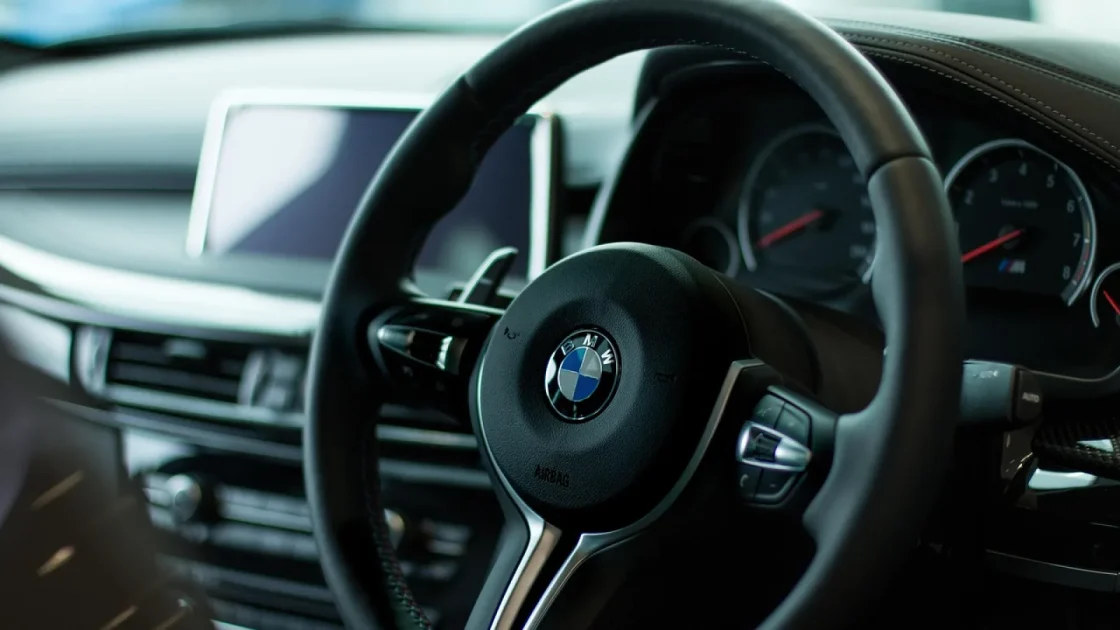
Factory CarPlay started showing up around 2016, and it spread fast after that. By 2018 or 2019 most mainstream brands offered it, at least on mid and upper trims.
The tricky zone is roughly 2014 to 2017. Some cars in that window have it, some do not, and it often depended on the trim level or an optional tech package. Two identical-looking Civics from the same year can differ, one with CarPlay and one without.
Your owner’s manual will tell you, or you can check Apple’s official list of supported vehicles. Apple keeps a running rundown of which makes and models shipped with it on their CarPlay support page.
What about aftermarket stereos
If you swapped in a Pioneer, Kenwood, Sony or similar head unit that lists CarPlay on the box, you likely already have wireless CarPlay built right in. In that case you do not need a dongle at all.
Where it gets messy is with cheaper Android-based touchscreen units from marketplaces. Some of those emulate CarPlay in odd ways, and adapters can be hit or miss with them. If your stereo is one of those no-name units, test carefully and buy from a seller with a good return window.
Your iPhone matters more than you think
Nearly every wireless CarPlay adapter on the market needs an iPhone. That sounds obvious, but I have watched someone buy one for their partner’s Samsung and get frustrated when nothing happened.
CarPlay is Apple’s system. If you carry an Android phone, you want a wireless Android Auto adapter instead, which is a separate product. There are 2-in-1 boxes that handle both, and those are worth a look if your household is mixed.
On the iPhone side, you are in good shape with anything running a reasonably current version of iOS. These adapters lean on the same wireless CarPlay feature Apple built into the phone, so an iPhone from the last several years connects without drama. You can read the basics of how the system works on Apple’s CarPlay overview.
Good to know
The adapter is what makes your existing wired CarPlay wireless. Your iPhone does not need to support wireless CarPlay in the car directly. That is the whole trick these little boxes pull off.
The USB port detail people miss
Not all USB ports are built the same, and adapters ship with different plugs. Look at the port you actually use for CarPlay in your car.
Older cars tend to have the classic rectangular USB-A port. Newer ones, roughly 2021 and up, often moved to the smaller oval USB-C. Some dongles come with USB-A, some with USB-C, and many include a small adapter tip for both.
Check which port your car uses, then make sure the box you are buying either matches it or includes the right tip. It is a two-dollar problem that turns into a return shipment if you ignore it.
| Situation | Will a CarPlay dongle work? |
|---|---|
| Factory wired CarPlay, 2018 sedan, iPhone | Yes, this is the ideal case |
| Bluetooth only, no CarPlay screen | No, nothing to connect to |
| Aftermarket stereo with CarPlay logo | Usually already wireless, no dongle needed |
| Factory CarPlay but you use an Android phone | No, you need an Android Auto adapter |
| No-name Android touchscreen unit | Maybe, test with a return window |
A quick check before you order
Run through this short list at the car. Ten minutes here beats a week of back-and-forth with a seller.
- Plug your iPhone in with a cable and confirm CarPlay actually loads on the dash.
- Note whether your car’s USB port is the rectangular USB-A or the oval USB-C.
- Confirm you are using an iPhone, not an Android phone, for this particular box.
- Look up your exact year and trim to see if CarPlay was standard or optional.
- Read the seller’s tested-vehicle list and find your make on it if you can.
That last point carries real weight. Good adapter brands publish a list of vehicles they have actually tested, and some run a compatibility lookup on their site. If your car shows up there, your odds jump way up.
Pro tip
Buy from a place with a 30-day return, at least for your first one. Even with the right car and phone, a rare head unit quirk can cause trouble, and an easy return turns a gamble into a no-risk try.
When things almost work but not quite
Sometimes the car and phone check out, yet the connection stumbles. This is usually not a compatibility wall, it is a setup or interference issue, and it is fixable.
A weak Wi-Fi handoff, an old dongle firmware version, or a car that has trouble waking the port on cold starts are the common culprits. Those show up as lag or dropped connections rather than a flat no-connect, and they have their own fixes worth reading up on separately.
The difference between a compatibility problem and a setup problem is simple. A compatibility problem means nothing ever connects. A setup problem means it connects, then acts up.
If your dongle connects even once and shows the CarPlay screen wirelessly, you have proven compatibility. Everything after that is tuning.
Your next move
Go do the cable test right now, before you buy anything. Plug your iPhone into the car and watch for CarPlay on the screen. That single check answers most of the question by itself.
If CarPlay loads, note your USB port shape, confirm you are on an iPhone, and pick an adapter that lists your car on its tested page with a solid return policy. Do those four things and you have removed almost all the guesswork.
If CarPlay does not load, a dongle is not your path. You would be looking at an aftermarket stereo with built-in wireless CarPlay instead, which is a bigger project but a real option. Either way, you now know which road you are on, and that is the whole point of checking first.
Frequently asked questions
No. These adapters only convert existing wired CarPlay into a wireless connection. If your car has no factory or aftermarket CarPlay to begin with, the dongle has nothing to plug into and will do nothing.
Not a CarPlay-only adapter. CarPlay is an Apple system that needs an iPhone. For an Android phone you want a wireless Android Auto adapter instead, or one of the 2-in-1 boxes that support both systems.
Plug your iPhone into the car's USB port with a normal cable. If the CarPlay interface appears on your dashboard screen, you have wired CarPlay. If only Bluetooth audio or a plain menu shows up, you do not.
Yes. Older cars use rectangular USB-A ports while many cars from 2021 onward use oval USB-C. Match the adapter's plug to your car's port, or buy a box that includes a tip for both types.
Usually not. If it connects at all, compatibility is proven. Drops and lag point to setup issues like firmware, Wi-Fi interference, or the port waking slowly on cold starts, all of which have their own fixes.
Keep reading
Related guides

5 Common Wireless Adapter Myths, Debunked
The stuff people repeat about wireless CarPlay dongles is often wrong, so here is what actually holds up on a real car.
Read guide
Wireless Adapter Setup Mistakes That Cause Drop-outs
The small setup slips that turn a clean wireless connection into a stuttering mess, and how to fix each one in a few minutes.
Read guide
How to Set Up a Wireless CarPlay Adapter
A plain-spoken walkthrough for pairing any wireless CarPlay dongle to your car for the first time, start to finish.
Read guide